An audio connection is only the beginning
A headset may pass sound while its answer, mute or volume controls do not integrate with the desk phone. Record the exact phone, headset, cable or adapter and firmware combination. USB, Bluetooth and modular connectors are not interchangeable compatibility guarantees.
Preserve the exact computer-headset path
A business wireless headset can reach a computer through a vendor adapter or the host's native radio and may reach a mobile device directly. Those paths can expose different call control, microphone, certification, firmware and management behavior. The Jabra Evolve3 75 reference and Evolve3 85 reference keep their on-ear versus over-ear fit, battery claims, exact MS or UC order code, included Link adapter, host radio and application distinct. The Yealink WH64 Hybrid reference keeps its DECT dongle and Bluetooth path, remembered and simultaneous connections, battery modes and optional stand equally explicit. On the Yealink T58W Pro, BTH58, CAM50, EXP50, USB headset, storage and EHS uses share a bounded host; confirm the exact combination, power and control path rather than counting ports.
Match the work environment
For a busy shared office, test microphone pickup of nearby conversations and comfort during a realistic shift. For a mobile worker, test range on an active call rather than relying on a pairing success. For accessibility needs, have the intended user evaluate controls and fit.
Check power and accessories
Desk-phone USB output can vary with the power source. Expansion modules and powered accessories may change the required budget. Consult the manufacturer's model-specific power table before adding a splitter or assuming an existing adapter is sufficient.
The Cisco 9841 illustrates why a USB port's presence is not the full power specification.
Make the pilot reproducible
Record whether answer/end, mute state, hold and device switching work after restart. Label approved cables and retain spare components. Include cleaning and replacement arrangements in the rollout plan. Accessories should simplify the staff workflow; an unsupported adapter chain can create a maintenance problem even if one test call sounds fine.
Treat shared speakerphones as room accessories
A USB or Bluetooth speakerphone can be portable, but using it in a shared room adds host ownership, application, Bluetooth privacy, charging, storage and acoustic-coverage questions. The Poly Sync 40 reference keeps those questions separate from its published hardware specifications. Do not infer standalone SIP registration or universal call-control support from a microphone, speaker and call button.
Budget the T74U shared USB and accessory path
The Yealink T74U uses its USB interface for headsets, expansion, recording, EHS40 and optional radio accessories. Inventory the exact combination and 5 V/500 mA phone output, then validate call control, restart and update behavior.
Validate the T73U shared USB accessory path
The Yealink T73U uses one USB interface for headsets, expansion, recording, EHS40 and optional radio accessories. Inventory the exact combination and its power path, then validate call control, restart and update behavior.
Budget the 6920w after expansion modules are attached
The Mitel 6920w is documented as PoE class 3 and can move to class 4 with supported programmable-key modules; a sidecar arrangement can also require a 48 V adapter. Validate the exact module, headset, cable, final power draw, restart and call-control workflow.
Keep Sangoma P-Series headset paths model-specific
Sangoma's reviewed compatibility page separates four paths. Bluetooth is listed only for P330 from firmware 4.3.2 and P370 from 4.8.2. USB is listed for P320, P325, P330 and P370 from 4.5.0. EHS and audio-only paths cover P310 through P370 on all firmware, but EHS needs a vendor-specific cable and audio-only leaves call control on the phone. Sangoma says not every Bluetooth headset has been validated and that non-Sangoma USB headsets may provide audio and HID without call control.
Use those boundaries to shortlist, then test the exact phone, firmware, headset, cable or dongle. Verify answer, hang-up, mute, volume, ringing, reconnect, restart and reprovisioning. A supported interface does not transfer validation to every device using it.
Validate the D815WB integrated-Bluetooth path end to end
The Snom D815WB includes integrated Bluetooth and also lists RJ9, EHS and USB accessory paths. Pairing or connector fit does not establish answer, hang-up, mute, volume, media quality or recovery with the exact headset and installed firmware.
Treat AudioCodes USB, Bluetooth and expansion paths separately
The C435HD documents RJ-9 and USB headset paths. The C455HD adds Bluetooth only on its DBW suffix and limits its expansion module to that variant. Connector presence, radio presence, power sufficiency and Teams call control are four different checks.
Keep AudioCodes sidecars, modules and audio paths distinct
The C436HD integrates its sidecar and documents USB headset support. The C456HD offers a separately tracked G2 expansion module and hardware microphone control. None of these interfaces proves accessory call control, extra line capacity, privacy or sufficient power.
Treat the BTH88, headset and expansion paths independently
The T88W Pro and T88V Pro document a BTH88 Bluetooth handset, USB and RJ-9 headset paths and optional expansion modules. None creates another SIP identity or carrier channel; pairing, power, call control and firmware support remain separate checks.
Keep Fanvil handset and headset paths exact
The V62 Pro and V66 Pro include a BTH60 Bluetooth handset and document separate RJ9, EHS or USB accessory paths. None adds a SIP identity or carrier channel; pairing, charging, cable, call control, firmware and acoustic acceptance remain distinct checks.
Choose business wireless headsets by the complete control path
Use the business wireless headset category to compare exact host, adapter or native-radio path, application integration, multipoint policy, management owner and measured controls. The paired diagnostic locates the first layer that diverges.
Model 6940w PC and mobile audio as owned paths
Use the 6940w audio-control diagnostic to separate pairing, connection, line control, operating-system selection, application mute and phone routing.
Watch the explanation
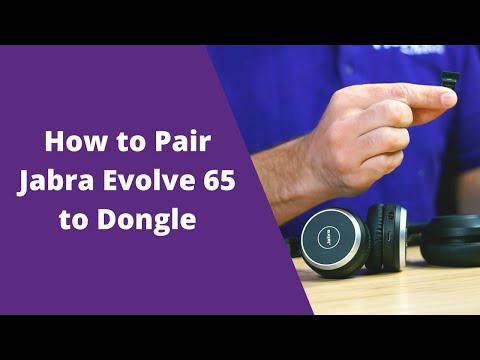
This walkthrough uses Jabra Direct to discover a headset and pair it with a USB Bluetooth adapter. It helps separate two tasks that are often confused: pairing the headset to the adapter and choosing that adapter as the calling application’s audio device.
Read applicability and editorial notes →Watch this video here
Shows Evolve 65 and also discusses Evolve2 65. These are different product generations; bundled adapter models and Jabra Direct screens can differ. Review used the available transcript and primary references; audio and screen readability remain unverified.
The player loads only when you choose Watch here. Playback uses YouTube’s privacy-enhanced embed; YouTube processes playback data.
The manufacturer’s captions walk through USB connection, selecting recording and playback devices, and choosing the headset in a softphone. This is a useful starting point when a wired headset is connected but calls still use the laptop microphone or speakers.
Read applicability and editorial notes →Watch this video here
USB-A and USB-C Evolve2 40 variants; software and Teams-specific controls vary by edition. Review used the available transcript and primary references; audio and screen readability remain unverified.

The player loads only when you choose Watch here. Playback uses YouTube’s privacy-enhanced embed; YouTube processes playback data.
Sources & applicability
Primary references for the technical details above. Operational examples and planning checklists are VoIP.info editorial guidance.
- Cisco 9800 Series official datasheet ↗
- HP Poly phone portfolio ↗
- Jabra Evolve3 75 technical specifications ↗
- Jabra Evolve3 85 technical specifications ↗
- Yealink WH64 Hybrid brochure ↗
- Yealink SIP-T58W Pro technical specifications ↗
- Yealink SIP-T58W Pro support datasheet ↗
- Yealink SIP-T58W Pro manufacturer datasheet ↗
- Yealink SIP-T58W Pro with Camera specifications ↗
- Yealink SIP-T74U product page ↗
- Yealink SIP-T74U datasheet ↗
- Yealink SIP-T74U quick-start guide v1.1 ↗
- Yealink SIP-T74U support centre ↗
- Yealink current IP-phone catalogue ↗
- Yealink SIP-T73U product page ↗
- Yealink SIP-T73U datasheet ↗
- Yealink SIP-T73U support centre ↗
- Mitel 6900 SIP Phones document center ↗
- Mitel 6920 and 6920w SIP phone user guide, release 6.3.3 ↗
- Mitel 6920 and 6920w SIP phone user guide, release 6.4 ↗
- Mitel 6800, 6900 and 6900w SIP phones administrator guide, release 6.4 ↗
- Mitel 6900 SIP phones 6.4 SP4 document page ↗
- Mitel 6920w SIP phone learning center for MiVoice 5000 ↗
- Sangoma compatible phone headsets ↗
- Sangoma P-Series version 4.x firmware ↗
- Snom D815WB product page ↗
- Snom D815WB datasheet, version 26 August 2026 ↗
- Snom D815WB safety instructions, version 6 February 2026 ↗
- Snom D8xx white-model announcement ↗
- Snom firmware update centre ↗
- AudioCodes C435HD product page ↗
- AudioCodes C435HD version 2.7 specifications ↗
- AudioCodes C435HD supported Teams features ↗
- AudioCodes C455HD product page ↗
- AudioCodes C455HD version 2.7 specifications ↗
- AudioCodes C455HD supported Teams features ↗
- Microsoft Teams certified phones and public-cloud firmware ↗
- AudioCodes C436HD product page ↗
- AudioCodes C436HD version 2.7 overview ↗
- AudioCodes C436HD version 2.7 specifications ↗
- AudioCodes C436HD supported Teams features ↗
- AudioCodes C456HD product page ↗
- AudioCodes C456HD version 3.1 overview ↗
- AudioCodes native Teams phone releases ↗
- AudioCodes C456HD administrator settings ↗
- AudioCodes C456HD accessibility settings ↗
- Yealink SIP Phone T88 series product page ↗
- Yealink SIP-T88W Pro datasheet ↗
- Yealink SIP-T88V Pro datasheet ↗
- Yealink SIP-T88V Pro support centre ↗
- Yealink T88 line-key administration ↗
- Yealink T88V Pro video settings ↗
- Fanvil V62 Pro product page ↗
- Fanvil V62 Pro datasheet ↗
- Fanvil V62 Pro document centre ↗
- Fanvil V62 Pro firmware page ↗
- Fanvil V66 Pro product page ↗
- Fanvil V66 Pro datasheet — Android wording ↗
- Fanvil V66 Pro datasheet — Linux wording ↗
- Fanvil V66 Pro document centre ↗
- Fanvil V66 Pro firmware page ↗
- Fanvil Security Center support-period statement ↗
- Jabra Evolve3 85 product page ↗
- Jabra Evolve3 85 user manual RevA ↗
- Jabra Evolve3 85 support and current software ↗
- Yealink WH64 Hybrid product page ↗
- Yealink WH64 Hybrid datasheet ↗
- Yealink WH64 basic call control ↗
- Bluetooth SIG Hands-Free Profile 1.10 ↗
- Mitel 6900 IP Phone Series product page ↗
- Mitel 6940 and 6940w SIP phone user guide, release 6.4 SP3 ↗
- Mitel 6900 accessories document center ↗
- Mitel 6940w SIP phone learning center for MX-ONE ↗