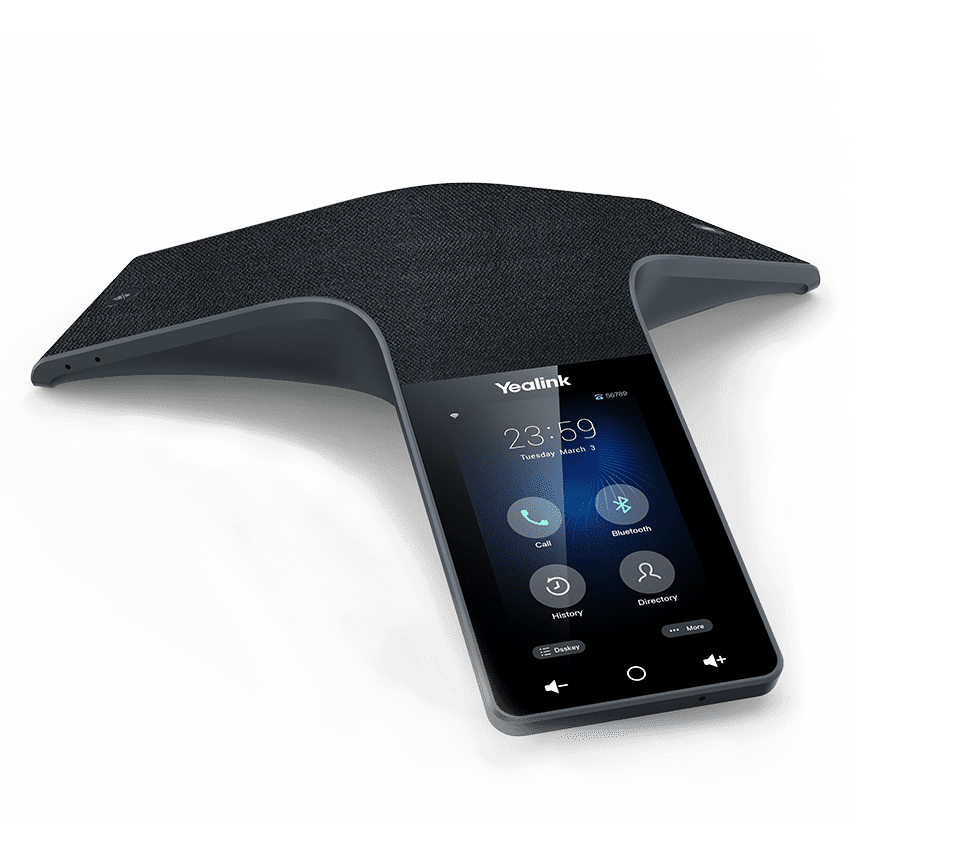
Documented specifications
Yealink · Yealink presented CP935W on current product and support pages at review. Exact regional availability, ordered hardware revision, approved firmware, service certification, warranty entitlement and remaining support period were not established.
| Specification | Documented value |
|---|---|
| SIP network path | The phone can register a SIP account directly over Wi-Fi; this is not the W70B-attached DECT package Source ↗ |
| Display | 4-inch capacitive touchscreen Source ↗ |
| Microphones | Built-in 6-microphone array with 360-degree pickup Source ↗ |
| Published pickup | 20 ft / 6 m manufacturer figure; validate every intended seat and remote listener Source ↗ |
| Local conference | 5-way conference; PBX or service bridge limits remain separate Source ↗ |
| Host audio paths | Bluetooth and one USB 2.0 Type-C port are listed for BYOD use Source ↗ |
| Battery | 7800 mAh with 4-hour published charging time Source ↗ |
| Published endurance | Up to 75 hours standby in Wi-Fi mode and 15 hours talk in ideal conditions Source ↗ |
| Management | Yealink Device Management Platform support is listed; service entitlement and configured ownership require confirmation Source ↗ |
| Firmware boundary | The published 149.87.0.40 record is one V87 release and warns against downgrade below V87; it does not prove the installed or approved build Source ↗ |
Unlisted fields remain unverified. Platform compatibility and remaining support life require confirmation for the exact ordered model.
Choose Wi-Fi registration or the DECT package deliberately
The CP935W product page says this model can register a SIP account directly over Wi-Fi. The CP935W-Base system instead places the CP935W behind a W70B DECT base. Record the ordered package, hardware revision, operating mode, regional radio variant, firmware, network owner and provisioning path before applying a configuration.
Do not treat the similar tabletop hardware as proof that the two packages share account placement, IP addressing, radio coverage, upgrade sequence, emergency-call behavior or support certification. A CP935W appearing in a W70B compatibility list does not silently convert a direct Wi-Fi deployment into the Base system.
Keep registered SIP and host audio as different call paths
The phone can originate and receive SIP calls using its own registration. Yealink also describes Bluetooth and USB Type-C connections for hybrid or BYOD meetings. For each room workflow, record which device owns the account, signaling, media, directory, mute state, recording, meeting controls and network path.
A laptop selecting the CP935W as audio does not prove the phone SIP account is in the meeting, and successful SIP registration does not validate computer or mobile audio. Test direct SIP, approved Bluetooth and approved USB workflows independently, including source switching and recovery after disconnect.
Accept the room, not the microphone-distance headline
Yealink publishes a six-microphone, 360-degree array and a 20 ft / 6 m pickup figure. Those are product specifications, not proof of intelligibility at every seat, resistance to HVAC or table noise, double-talk performance or usable remote-listener level.
Pilot the actual table, seating, reflections, occupancy and normal noise with willing remote listeners. Check near and far talkers, interruptions, mute visibility, volume, echo, clipped first syllables and source changes. If an expansion microphone is required, verify the exact accessory and firmware rather than carrying compatibility over from CP935W-Base documentation.
Measure Wi-Fi and battery behavior together
A cable-free tabletop still depends on Wi-Fi coverage, airtime, roaming policy, interference, battery condition and the charging cradle. Survey the exact placement on the intended bands and SSIDs, then observe registration, call setup, two-way audio and recovery through representative interference and power cycles.
The published 75-hour Wi-Fi standby, 15-hour talk and four-hour charge figures are ideal-condition inputs. Measure the real usage cycle, define low-battery ownership and charging practice, and confirm how a depleted phone returns to service. A strong signal indicator does not prove conversational audio or sufficient remaining shift time.
Bind protection and management to the installed firmware
The live product page presents TLS 1.3 and WPA3 in its V87 upgrade context. Yealink also publishes a CP935W 149.87.0.40 release record that warns against downgrading below V87. Preserve the actual hardware revision, installed and approved firmware, update source, configuration backup and rollback constraint before change.
Inspect Wi-Fi authentication, certificate validation, negotiated SIP transport, media protection, administrator access and provisioning controls separately. A feature listed for V87 is not proof it is enabled, negotiated or supported by the selected PBX. No CP935W, battery, charger, firmware, Wi-Fi network, PBX, account, host, room, protection control, availability, compatibility, price, audio path, emergency route or live call was inspected or tested for this reference.
Sources & applicability
Primary references for the technical details above. Operational examples and planning checklists are VoIP.info editorial guidance.
- Yealink CP935W product page ↗
- Yealink CP935W support centre ↗
- Yealink CP935W 149.87.0.40 release note ↗
Examples require adaptation to your topology. No live PBX or hardware testing is claimed.