Documented specifications
Yealink · Yealink presented the SIP CP965 on its current product, resource and support sites at review and described B2B distribution. Exact regional availability, ordered platform edition, hardware revision, approved firmware, support entitlement and remaining support period were not established.
| Specification | Documented value |
|---|---|
| Display | 5-inch 720 × 1280 capacitive touch display Source ↗ |
| Microphones | 12 pickup microphones plus one noise-cancellation microphone; published high-quality and maximum pickup ranges remain room-test inputs Source ↗ |
| SIP account | One SIP account; this is distinct from the local conference participant count and PBX or carrier capacity Source ↗ |
| Local conference | 10-way on the SIP phone; the optional CPN10 analog PSTN path is documented separately as three-way Source ↗ |
| Ethernet | One 10/100 Mbps RJ45 port Source ↗ |
| PoE | 802.3at class 4 Source ↗ |
| Wi-Fi | Built-in dual-band 2.4/5 GHz, IEEE 802.11a/b/g/n Source ↗ |
| Bluetooth | Built-in 4.2; pairing is not proof of call control or host-audio acceptance Source ↗ |
| USB | One USB 2.0 Type-A device port and one USB 2.0 Type-C device port; published uses remain path-specific Source ↗ |
| Expansion | Two CPW65 DECT microphones are documented; each has three microphones, a 3 m published radius and up to 20 m connection distance Source ↗ |
| Provisioning | Browser, phone and auto-provisioning methods plus Yealink Device Management Platform are listed; the supported template and administrative owner remain deployment decisions Source ↗ |
| Protection capabilities | The July 2026 SIP datasheet lists TLS 1.3, SRTP, HTTPS certificate management, secure boot, WPA2/WPA3 and encrypted configuration; configured protection still requires leg-by-leg validation Source ↗ |
Unlisted fields remain unverified. Platform compatibility and remaining support life require confirmation for the exact ordered model.
Keep room pickup, account and conference counts separate
The SIP CP965 is documented for medium and large rooms with a 5-inch 720 × 1280 touchscreen, twelve pickup microphones, one noise-cancellation microphone and a full-duplex speakerphone. Yealink lists a 4 m high-quality pickup range and 6 m maximum range. Those are manufacturer inputs, not proof of intelligibility at every seat, in HVAC noise, across reflections or during double-talk. Pilot the actual table, seating and remote listener positions.
One SIP account and a ten-way local conference describe different boundaries. Neither establishes PBX bridge size, trunk channels, carrier entitlement or the number of remote participants a meeting service will admit. The optional CPN10 analog PSTN path has its own documented three-way local conference and must not inherit the SIP path's count.
Choose and label the active call path
The CP965 can place SIP calls itself and Yealink also describes Bluetooth, USB Type-C and optional CPN10 uses for hybrid meetings. Document which device owns the account, signaling, media, mute state, recording and user interface for each room mode. A laptop connected for audio does not turn the phone into the meeting account, and successful SIP registration does not validate host audio or a mobile Bluetooth call.
The exact SIP CP965 record is not a Teams- or Zoom-edition firmware conversion guide. Preserve the ordered platform edition, hardware revision and approved firmware lane. Do not cross-flash another edition or infer its operating system, management path, licensing or meeting features from a sibling product page.
Treat CPW65 as a separate DECT subsystem
Yealink documents two CPW65 wireless expansion microphones for CP965. Each accessory has three microphones, a 3 m published 360-degree pickup radius, a maximum 20 m connection distance and its own battery, charger, registration, mute indication and region-specific DECT band. The CP965 product page's broader expansion wording is not a substitute for the accessory datasheet.
Pair the exact units, prove mute synchronization and out-of-range indication, verify charging and battery recovery, and repeat every-seat and double-talk listening checks. Published 13-hour talk time and 11-day standby are conditional manufacturer figures, not measured endurance. Expansion increases placement options; it does not guarantee room coverage or eliminate acoustic treatment.
Validate power, network and protection as deployed
The SIP datasheet lists one 10/100 Mbps Ethernet port, dual-band 802.11a/b/g/n Wi-Fi, Bluetooth 4.2, IEEE 802.3at class-4 PoE, one USB-A device port and one USB-C device port. A switch or injector that provides only the lower 802.3af budget is not equivalent to the documented class-4 requirement. The external YLPOE30 adapter and CPW65 kit are optional package items, so confirm the exact order rather than assuming they are in the carton.
Test wired and wireless recovery separately. TLS 1.3, SRTP, HTTPS certificate management, secure boot, WPA2/WPA3 and encrypted configuration are documented capabilities, not evidence of an authenticated certificate chain, protected media on both legs or an approved wireless policy. Record the loaded firmware and configuration, then inspect the negotiated signaling and media path.
Accept the complete room workflow
Pilot registration, inbound and outbound calls, hold, blind and attended transfer, DTMF, directory and voicemail access, local conferencing, mute visibility, USB or Bluetooth source switching, the selected expansion microphones and recovery after power, network and host interruption. Where call recording is permitted, verify indication, storage ownership, access, retention and deletion separately. Use the responsible carrier's approved emergency-validation procedure only after location and callback identity are confirmed.
Yealink still presents the SIP CP965 through current product, resource and support pages and describes B2B distribution, but that does not establish regional stock, price, PBX certification, warranty entitlement or a future support period. No phone, room, firmware, PBX, SIP account, host, accessory, radio path, protected session, power arrangement, audio quality, emergency route, availability, price or live call was tested for this guide.
Watch the explanation
A practical operator introduction to hold, shared parking, transfer, conference controls and DND on the CP965. It helps explain why an apparently working phone may not ring.
Read applicability and editorial notes →Watch this video here
Yealink CP965 on ComTech’s service in 2022. The service configuration is part of what is demonstrated. Review used the available transcript and primary references; audio and screen readability remain unverified.
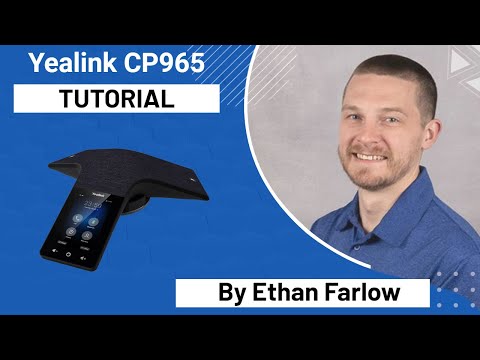
The player loads only when you choose Watch here. Playback uses YouTube’s privacy-enhanced embed; YouTube processes playback data.
Sources & applicability
Primary references for the technical details above. Operational examples and planning checklists are VoIP.info editorial guidance.
- Yealink CP965 current product page ↗
- Yealink CP965 product resources ↗
- Yealink CP965 exact-model datasheet ↗
- Yealink CPW65 product page ↗
- Yealink CPW65 datasheet ↗
Examples require adaptation to your topology. No live PBX or hardware testing is claimed.