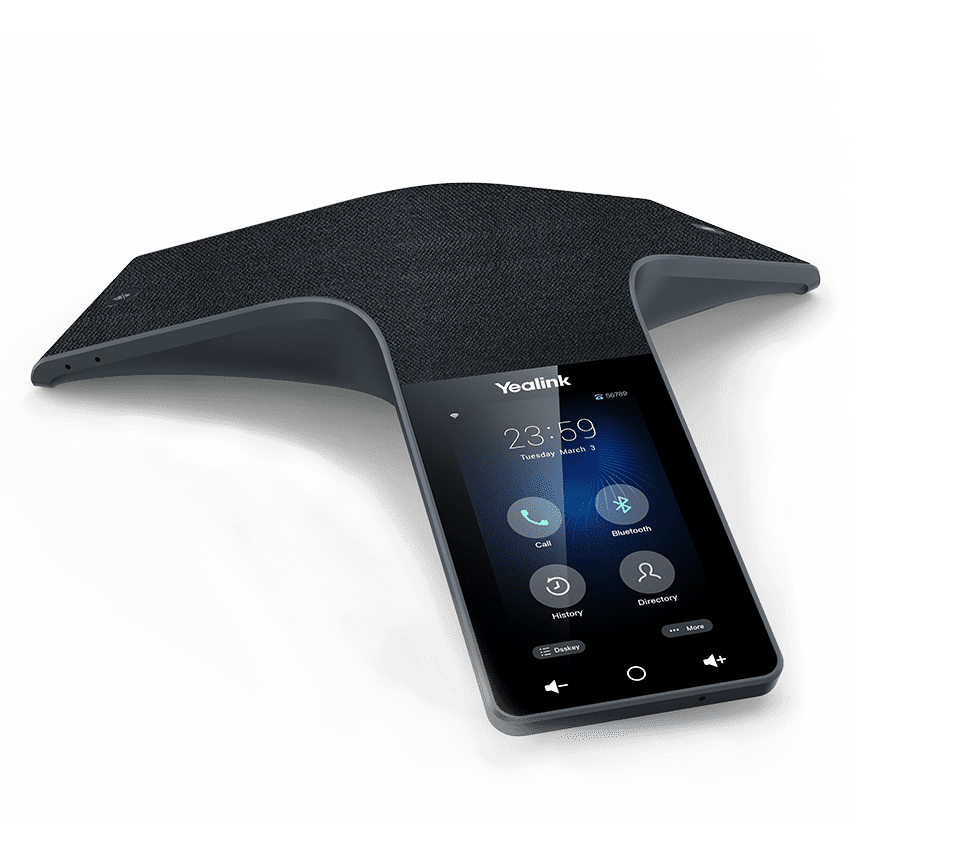
Documented specifications
Yealink · Yealink presented CP925 on its current B2B product site at review. Regional stock, current price, ordered hardware revision, platform-approved firmware, support entitlement and remaining support period were not established.
| Specification | Documented value |
|---|---|
| Display | 4-inch capacitive touch Source ↗ |
| Microphones | Six pickup microphones plus one for noise cancellation Source ↗ |
| Pickup range | Up to 6 m, manufacturer rating Source ↗ |
| Local conference | 5-way Source ↗ |
| PoE | 802.3af class 3 Source ↗ |
| Connectivity | Built-in Wi-Fi and Bluetooth; USB 2.0 Type-C Source ↗ |
| Provisioning | Yealink Device Management Platform Source ↗ |
| BYOD and optional PSTN path | Bluetooth or USB connection to a host for BYOD; optional CPN10 for an analog PSTN conference path Source ↗ |
Unlisted fields remain unverified. Platform compatibility and remaining support life require confirmation for the exact ordered model.
Match the exact room and call path
Yealink lists a seven-microphone array, with six pickup microphones and one noise-cancellation microphone, a 360-degree published pickup range of up to six metres, a four-inch capacitive touch display and local five-way conferencing. These are manufacturer specifications, not measurements in the proposed room. Table shape, distance, reverberation, HVAC noise and double-talk can change the result.
The local five-way count is a phone function, not proof of a PBX bridge, carrier conference entitlement or the number of parties supported across every call path. Name the SIP account, local conference, PBX bridge and remote meeting service separately before comparing capacity.
Keep SIP, BYOD and optional PSTN distinct
The product page documents BYOD connection through Bluetooth or USB and an optional CPN10 accessory for an analog PSTN conference path. A laptop host path, the phone's SIP registration and an analog line are separate sources with different signaling, media, identity, emergency-calling and support owners. Do not infer that one path inherits another path's codecs, encryption or call controls.
Confirm the exact host operating system, cable, Bluetooth profile, meeting application and source-selection behavior. If analog fallback is required, verify the CPN10 as a separate ordered and supported component rather than assuming it is included or available.
Prove power, network and management ownership
The current product page lists IEEE 802.3af class 3 PoE, built-in Wi-Fi and Yealink Device Management Platform support. Those capability statements do not prove that the proposed switch budget, wireless design, VLAN, DHCP, DNS, time, certificates, firewall or management tenant is ready. Choose and document the intended network path rather than leaving Ethernet and Wi-Fi simultaneously ambiguous.
Record the ordered model, hardware revision, installed firmware, SIP platform and configuration owner together. Confirm administrator and provisioning ownership before connecting a previously used device. Keep an approved backup and recovery method before changing firmware; an arbitrary downgrade can remove security fixes or create a platform-support mismatch.
Separate security capability from configured protection
Yealink's V87 security page describes platform capabilities including TLS 1.3, but a family security statement is not proof of the exact installed firmware, negotiated SIP transport, media protection or certificate validation on a particular call. Verify the running firmware and both ends of the actual signaling and media session. Do not label a call encrypted from an interface icon alone.
Use the vendor lifecycle policy and exact-model support resources before a fleet decision. A current product page does not establish regional stock, a price, a future support date or compatibility with a specific hosted service. Preserve the previous working configuration and the vendor or platform rollback boundary.
Complete room and transition acceptance
Place the phone where it will be used and have an authorized remote listener assess every seat with quiet speech, normal speech, simultaneous speech, HVAC noise and mute transitions. Check echo, clipping and recovery after interruption. Treat the published range as a planning input until this room is observed.
For each intended path, verify dialing, identity, DTMF, hold, resume, transfer, local conference behavior, source switching and normal hangup. Include USB and Bluetooth reconnection where used and the separately supported analog path where procured. Record objective observations and firmware; this guide reports documentation review only and makes no laboratory, availability, price or compatibility claim.
Sources & applicability
Primary references for the technical details above. Operational examples and planning checklists are VoIP.info editorial guidance.
- Yealink CP925 manufacturer specifications ↗
- Yealink V87 phone-security overview ↗
- Yealink end-of-life policy ↗
Examples require adaptation to your topology. No live PBX or hardware testing is claimed.