Registration proves only a location binding
A successful REGISTER gives the registrar a Contact location for an AoR. It does not prove that the phone will send an INVITE, that Asterisk will identify the endpoint, that the dialed string exists in the endpoint's context, that an outbound channel can be created or that media will flow.
Start with one failed call and record the phone, selected account, digits entered, time, Call-ID and first final response. Compare an internal destination known to work from another endpoint before involving a carrier.
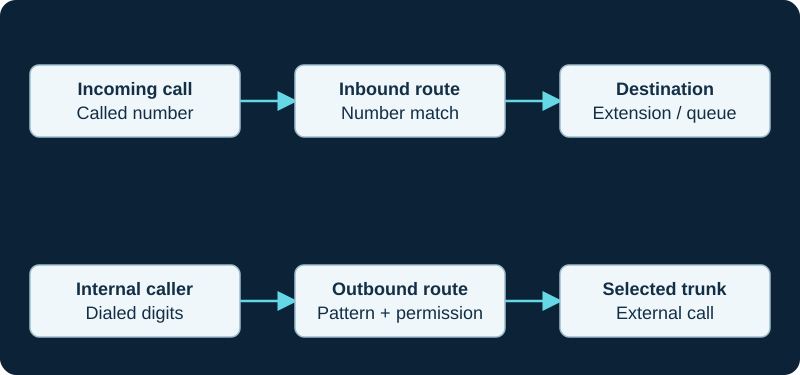
A working outbound call does not prove inbound number routing. Diagnose the direction and the matching rule independently.
If no INVITE leaves the phone
Inspect the active line or account, local dial plan, off-hook behavior, digit timeout and provisioning result. A phone can display one registered account while a line key or dial action selects another. Reboot only after exporting the effective configuration, then confirm whether provisioning reapplies the same fault.
Do not change PBX routes when the PBX never received a request. The evidence owner remains the phone or its provisioning path until an INVITE is observed leaving it.
If Asterisk receives the INVITE
Prove which endpoint Asterisk matched, the endpoint's loaded context and the exact user or number in the Request-URI. Asterisk's troubleshooting guide notes that an unmatched endpoint can receive a deliberately generic 401, so apparent authentication failure can still be an identification failure.
Use the complete transaction, not the handset banner. Preserve the request, any challenge and authorized retry, provisional responses and final response on this phone-to-PBX leg.
Prove a dialplan match before a trunk
The loaded endpoint context defines where Asterisk begins searching. Confirm that the exact extension or pattern exists in that context and inspect the loaded dialplan; a saved GUI or text change is not runtime evidence. A notice naming an endpoint, dialed extension and context is stronger than a generic user report.
Keep authorization intact. If the number is intentionally denied, registration success is not a reason to widen the route. Test an allowed internal destination and an allowed external class as separate cases.
Follow channel creation and contact selection
After a route matches, record the application and target that Asterisk actually uses. PJSIP/name normally resolves through the same-named endpoint's AoR and first contact, while an explicit URI via an endpoint is a different dial form. An endpoint without an associated AoR or usable contact can therefore register elsewhere yet still fail this dial target.
For a trunk call, separate the phone leg, selected trunk endpoint, AoR or explicit URI, DNS result, outbound request and carrier response. No route to destination is not evidence that the carrier rejected a call it never received.
Accept the complete permitted flow
After the correction, prove the phone's INVITE, endpoint identity, context and dialplan match, outbound channel, remote provisional and final responses, answered bridge, negotiated codec, bidirectional media and normal hangup. Repeat the internal and permitted external cases; test a denied destination remains denied.
This guide did not inspect a phone, PBX, dialplan, trunk, call, response, bridge or media stream. A registered icon and a 200 response to REGISTER remain insufficient acceptance evidence.
Keep a registered 6940w SIP line separate from paired-device audio
The 6940w reference does not let a working PCLink or MobileLink path stand in for SIP routing, answer or media evidence.
Sources & applicability
Primary references for the technical details above. Operational examples and planning checklists are VoIP.info editorial guidance.
- IETF RFC 3261 — SIP, including linked updates ↗
- Asterisk PJSIP troubleshooting guide ↗
- Asterisk dialing PJSIP channels ↗
- Mitel 6900 SIP Phones document center ↗
- Mitel 6900 IP Phone Series product page ↗
- Mitel 6940 and 6940w SIP phone user guide, release 6.4 SP3 ↗
- Mitel 6800, 6900 and 6900w SIP phones administrator guide, release 6.4 ↗
- Mitel 6900 accessories document center ↗
- Mitel 6940w SIP phone learning center for MX-ONE ↗
Examples require adaptation to your topology. No live PBX or hardware testing is claimed.