Documented specifications
Yealink · Current Yealink product and support pages were available at review; exact regional SKU availability, VIM entitlement, approved firmware and remaining support period were not established.
| Specification | Documented value |
|---|---|
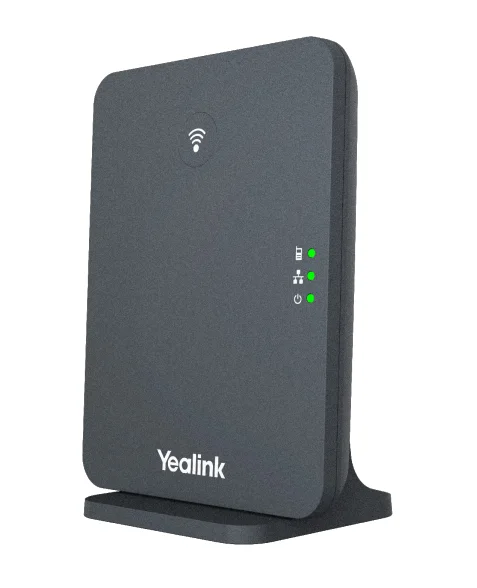
| Component roles | W90DM DECT manager and W90B radio base Source ↗ |
| Single-system scale | Datasheet lists 1 DM, up to 60 bases, 250 handsets, 250 accounts and 250 simultaneous calls Source ↗ |
| VIM scale | Datasheet lists up to 10 DMs, 600 bases, 2,500 handsets, 2,500 accounts and 2,500 simultaneous calls Source ↗ |
| Per-base call boundary | Up to 8 narrowband calls; wideband line lists 8 calls with 4 active handsets per base Source ↗ |
| Per-handset calls | Up to 2 simultaneous calls per handset Source ↗ |
| Mobility | Over-the-air and LAN synchronization; seamless handover and roaming listed Source ↗ |
| Network and power | One 10/100 Ethernet port; IEEE 802.3af PoE Class 1; optional external adapter Source ↗ |
| Signaling and media protection | UDP, TCP and TLS plus SRTP are listed capabilities Source ↗ |
| Regional DECT bands | 1880–1900 MHz Europe and 1920–1930 MHz US listed Source ↗ |
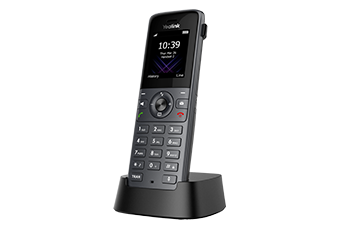
| Published handset and device family | Product page lists W53H, W56H, W59R, W73H, W78H, W57R, CP935W, CP930W and DD Phone Source ↗ |
Unlisted fields remain unverified. Platform compatibility and remaining support life require confirmation for the exact ordered model.
Treat W90DM and W90B as different system roles
The W90 is not one interchangeable box. The W90DM owns the DECT-manager role while W90B units provide radio cells. Record every ordered SKU, hardware revision, regional radio variant, installed firmware and assigned role. Replacing a base and replacing the manager are different changes with different backup, synchronization and outage consequences.
The manufacturer describes tools for base placement, manager discovery and bulk handset registration. Those tools can support a deployment process, but they do not replace a radio survey, a documented synchronization design or a tested recovery method.
Size the busiest cell, not only the system maximum
Yealink's datasheet lists up to 60 bases, 250 handsets, 250 accounts and 250 simultaneous calls for one W90 system. It separately lists up to eight narrowband calls per base and, for wideband, eight calls with four active handsets per base. Preserve those per-base and active-handset limits instead of dividing a system headline evenly across a building.
The VIM figures for ten managers, 600 bases and 2,500 handsets, accounts and calls are another documented architecture and entitlement boundary. They are not proof that one ordinary W90DM deployment has that capacity, that a licence is included, or that the PBX, trunks, LAN and occupied radio cells can sustain the same load.
Survey coverage, overlap and synchronization together
A multi-cell design requires usable coverage and sufficient overlap along the paths where calls must roam. Survey corridors, lifts, stairwells, fire doors, stock areas, cold rooms, outdoor transitions and other high-loss boundaries with the exact handset and regional radio system. Repeat at operational occupancy and noise.
The datasheet lists over-the-air and LAN synchronization, seamless handover and roaming. Record which synchronization method the design uses, each dependency and the observed handover result. Seeing every base online or registering a handset at one desk does not prove synchronization or a call-preserving roam.
Keep handset, account and feature support exact
The product page lists several handset, conference and desk-device families. A family listing does not establish that every model, firmware, accessory, feature key or PBX profile is accepted in the intended release. Keep manager, base and handset firmware together, then verify provisioning, directory, MWI, transfer, emergency workflow and headset behavior for each deployed model.
The datasheet lists up to two simultaneous calls per handset. That is distinct from SIP accounts, per-base radio calls, system calls and the number of devices associated with a user. Use the smallest relevant limit for each workflow.
Validate network, protection and recovery without inferring them
Confirm PoE budget, VLAN, addressing, time, certificates, provisioning ownership and the approved firmware lane. The datasheet lists TLS and SRTP capabilities, but a capability list does not prove that the PBX profile enabled them, that certificates were validated or that media negotiated protection on a call. Record signaling and media results separately.
Rehearse manager backup and restoration, one base loss, base replacement, handset reassignment, provisioning recovery, network interruption and power restoration in a maintenance window. Test registration, inbound and outbound calls, hold, transfer, DTMF, MWI, roaming and hangup at the designed load. No W90 component, handset, PBX, network, radio path, protected session, availability, compatibility, price or live call was inspected or tested for this reference.
Choose mini multi-cell or larger multi-cell deliberately
The W75 is documented for up to three bases and twenty handsets, accounts and calls, while W90 has a much larger manager-and-base architecture. Compare the occupied-building radio design, per-base capacity, recovery model and operational burden rather than choosing from the largest headline count.
Trace one failed W90 movement path without resetting the system
The Yealink multi-cell diagnostic starts from one handset, serving cell and timestamp, then separates manager membership, synchronization, overlap, base capacity, SIP state and media before changing placement or firmware.
Sources & applicability
Primary references for the technical details above. Operational examples and planning checklists are VoIP.info editorial guidance.
- Yealink W90 DECT IP Multi-Cell System ↗
- Yealink W90DM / W90B support centre ↗
- Yealink W90 datasheet ↗
- Yealink W75 product page ↗
- Yealink W75DM / W75B support centre ↗
- Yealink W75 datasheet ↗
- Yealink W74H product page ↗
- Yealink W74H datasheet ↗
Examples require adaptation to your topology. No live PBX or hardware testing is claimed.