Documented specifications
Yealink · Current Yealink product and support pages plus a datasheet dated July 21, 2026 were available at review; exact regional SKU availability, package, approved firmware, warranty entitlement and remaining support period were not established.
| Specification | Documented value |
|---|---|
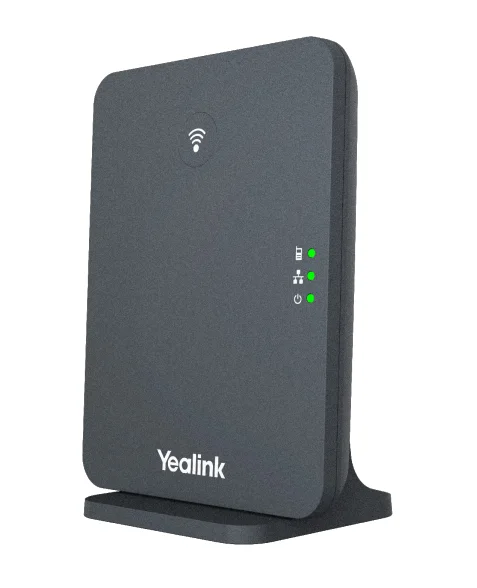
| Component roles | W75DM DECT manager and W75B radio base are separate system roles Source ↗ |
| Published system scale | Up to 3 base stations, 20 handsets, 20 SIP accounts and 20 simultaneous calls Source ↗ |
| Per-base call boundary | Up to 8 narrowband calls; the wideband line lists 8 calls with 4 active handsets per base Source ↗ |
| Per-handset boundary | Up to 2 simultaneous calls per handset Source ↗ |
| Mobility | Over-the-air synchronization, roaming and handover are listed; occupied-building performance still requires a survey and call test Source ↗ |
| Setup path | Physical manager-to-base setup is documented; multicast zero-touch and manual manager-IP setup are separate network paths Source ↗ |
| Network and power | 10/100 Ethernet and IEEE 802.3af PoE Class 3; optional external adapter Source ↗ |
| Provisioning and management | Browser, phone and auto-provisioning via TFTP, FTP, HTTP, HTTPS or RPS are listed Source ↗ |
| Signaling and media protection | UDP, TCP, TLS and SRTP are listed capabilities; the live page separately mentions TLS 1.3 in the V87 upgrade context Source ↗ |
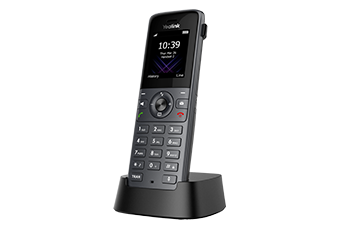
| Published handset family | W56H, W57R, W59R, W71H, W73H, W74H and W78H are listed; third-party DECT devices are explicitly excluded Source ↗ |
Unlisted fields remain unverified. Platform compatibility and remaining support life require confirmation for the exact ordered model.
Keep the manager and radio-base roles separate
The W75 is a small multi-cell system, not three interchangeable access points. Yealink documents a W75DM manager and W75B radio bases with different roles. Record each ordered SKU, regional radio version, hardware revision, firmware, address, power source and assigned role before building the system. A reachable web page or lit LED does not establish that the unit is the active manager, a synchronized radio cell or a backup.
The product describes physical manager-to-base setup, multicast zero-touch behavior and a manual manager-IP path for a non-multicast network. Preserve which path was used and the resulting manager/base inventory. Do not enable broad multicast or collapse network controls merely to make automatic discovery work.
Apply the smallest relevant capacity limit
The datasheet lists up to three bases, twenty handsets, twenty SIP accounts and twenty simultaneous calls. It separately lists up to eight narrowband calls per base and, for wideband, eight calls with four active handsets per base. It also lists two simultaneous calls per handset. Those are different limits; a system headline is not capacity at the busiest cell or on one handset.
Map users, call patterns, codec policy and radio cells, then size the busiest period at each base. PBX registrations, trunk channels, call-start limits, PoE budget and LAN capacity remain separate constraints. Manufacturer maxima are planning inputs, not measured busy-hour results.
Survey coverage, overlap and synchronization together
Yealink publishes ideal-condition range figures and describes seamless roaming and handover. Neither claim predicts walls, shelving, lifts, doors, interference, occupancy or the selected regional band. Survey every required work path with the exact handset and proposed base positions, then repeat a two-way call across cell boundaries during representative activity.
Record serving base, signal trend, synchronization state, handover point, audio gap, packet loss and registration result. Association to a base and a completed roam are not the same as accepted conversational audio. If a cell is moved, added or removed, revalidate coverage and synchronization rather than treating the topology as self-correcting.
Treat backup language as a recovery claim to verify
The product page says another base can replace an unavailable Level 1 synchronization base within one minute and also describes a dual-hot DECT-manager function. Those are vendor capabilities with specific prerequisites, not evidence that the installed design is protected. Identify the configured Level 1 base, manager roles, backup state and every shared dependency.
In a maintenance window, preserve the system backup, remove one component at a time and observe synchronization, registrations, active-call handling and recovery. Distinguish manager loss, synchronization-base loss, radio-cell loss, LAN loss and PBX loss. A replacement role becoming visible does not prove every handset and call workflow recovered.
Validate handset, protection and lifecycle boundaries
Yealink lists a specific handset family and explicitly says third-party DECT devices are not compatible. Match the exact model, radio region and firmware rather than assuming GAP branding creates full feature compatibility. The W74H reference documents one current handset, while W73H, W78H and W59R have different physical and workflow boundaries.
Confirm provisioning ownership, administrator roles, time, certificates, TLS and SRTP negotiation, directory sources, firmware ring and rollback. The datasheet and live page do not use identical TLS-version wording, so inspect the installed release and negotiated session instead of silently resolving the documentation difference. No W75 component, handset, PBX, network, radio path, protected session, backup event, availability, compatibility, price or live call was inspected or tested for this reference.
Diagnose registration, synchronization and handover separately
If a handset registers but a stationary call, cell transition or audio path fails, use the Yealink multi-cell diagnostic. It preserves manager and base roles, synchronization, radio overlap, per-cell load, PBX signaling and RTP as separate evidence.
Sources & applicability
Primary references for the technical details above. Operational examples and planning checklists are VoIP.info editorial guidance.
- Yealink W75 product page ↗
- Yealink W75DM / W75B support centre ↗
- Yealink W75 datasheet ↗
- Yealink W90 product page ↗
- Yealink W90 datasheet ↗
- Yealink W74H product page ↗
Examples require adaptation to your topology. No live PBX or hardware testing is claimed.